 Travada Systems
Every trip stays editable. Change a figure and the trip's profit, the income and expense pages, the dashboard and any new reports all follow.
Edit a trip
- 1
Open the trip's menu
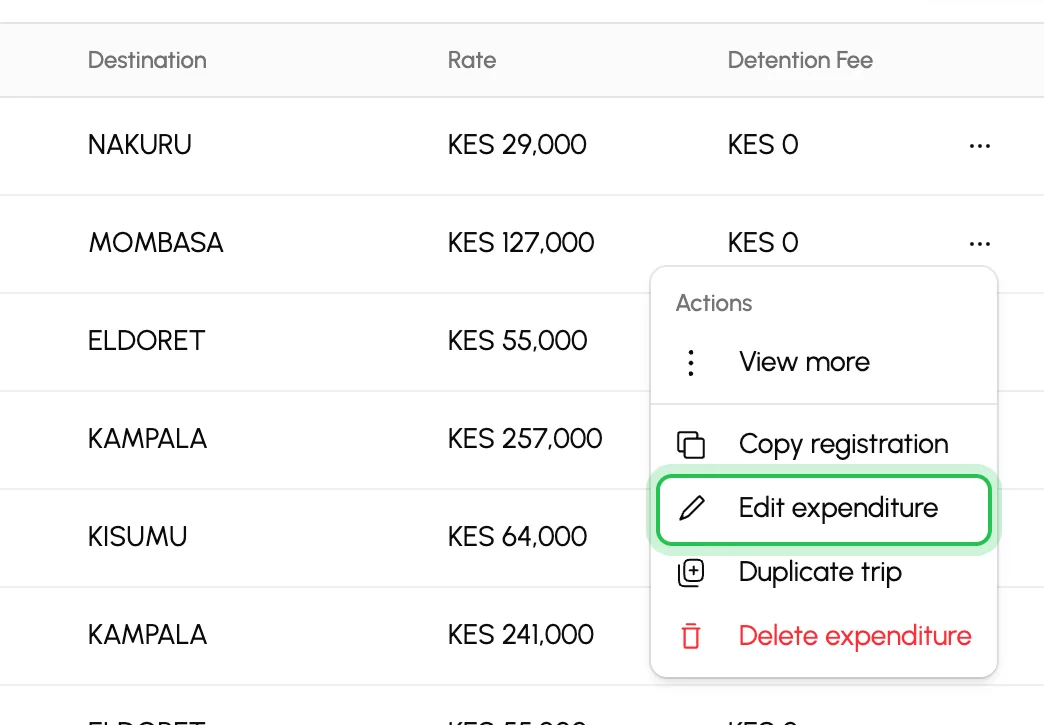
On the Expenditure page, click the ⋯ at the end of the trip's row and choose Edit expenditure.
- 2
Change what's wrong
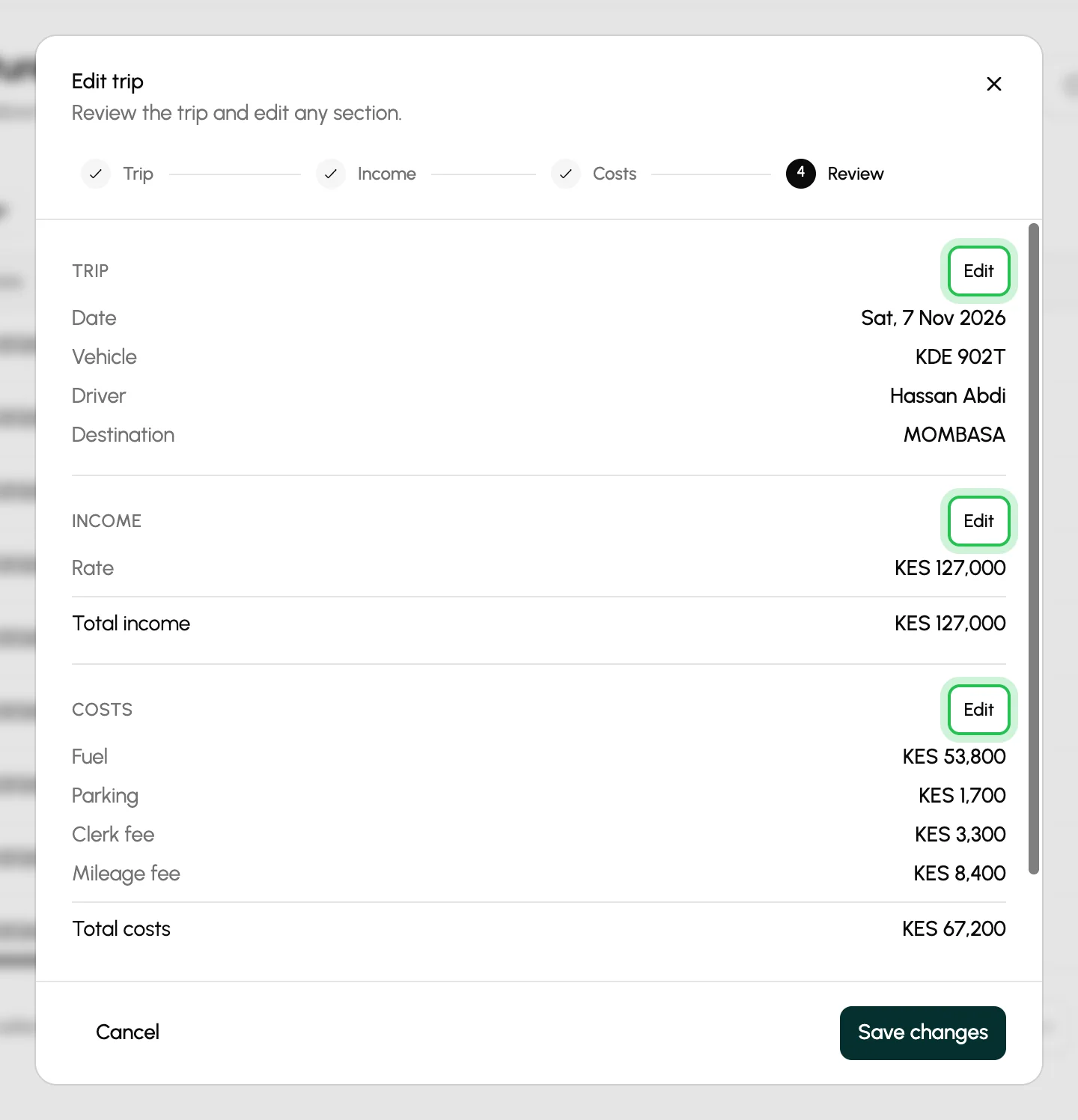
The form opens on the Review step, showing the whole trip. Click Edit on the section you need (Trip, Income or Costs), change it, and come back to Review.
- 3
Save
Click Save changes. The row updates straight away.
Delete a trip
Open the row's ⋯ menu, choose Delete expenditure, and confirm. The trip and its linked income and expense records are removed for good. This can't be undone.
Pending trips are different
A pending trip (made by a recurring trip) shows Confirm trip and Discard trip in its menu instead. Discarding removes that one trip only; the recurring series carries on. See Confirm pending trips.