 Travada Systems
Every trip belongs to a truck, so trucks come first. You add each one once; after that it's in the list on every trip form.
Add a vehicle
- 1
Open Vehicles
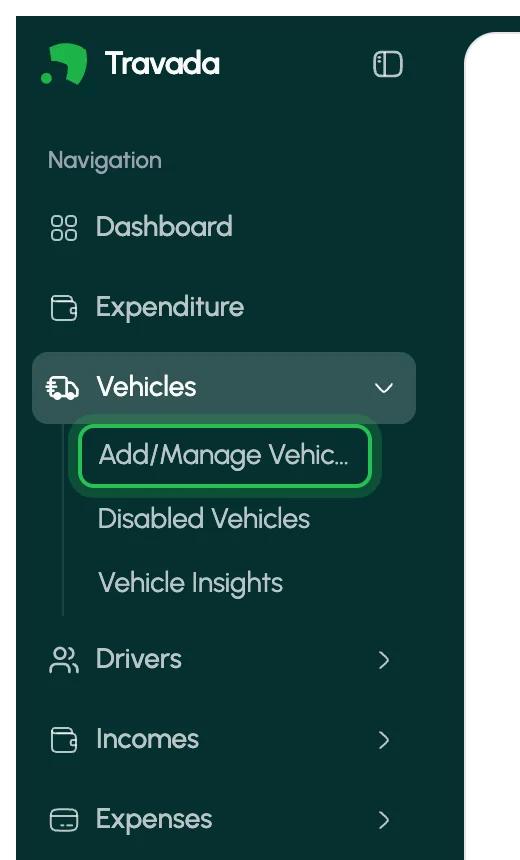
In the sidebar, open Vehicles → Add/Manage Vehicles and click Add Vehicle.
- 2
Fill in the details
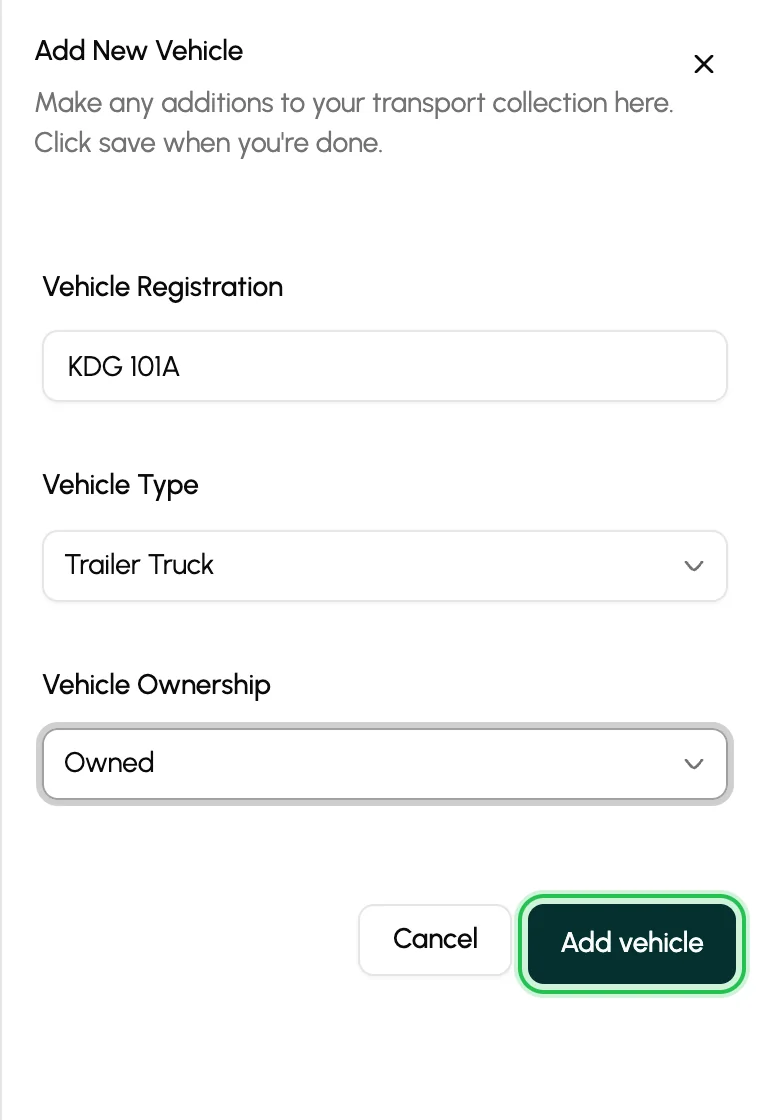
- Vehicle Registration, for example KDA 456B.
- Vehicle Type: Truck, Dump Truck, Reefer Truck, Box Truck, Trailer Truck, Canter or Passenger Transport Vehicle.
- Vehicle Ownership: Owned or Hired.
- 3
Save
Click Add vehicle. It appears in the vehicles table and in the trip form straight away.
Other ways to add trucks
- From a trip. In the trip form, type a registration that isn't listed and pick Add as a new vehicle.
- With an import. Importing trips lists any trucks it doesn't recognise and adds them for you.