 Travada Systems
Each trip records who drove it, so you can see trips and results per driver. Add a driver once and they're available on every trip form.
Add a driver
- 1
Open Drivers
In the sidebar, open Drivers → Add/Manage Drivers and click Add Driver.
- 2
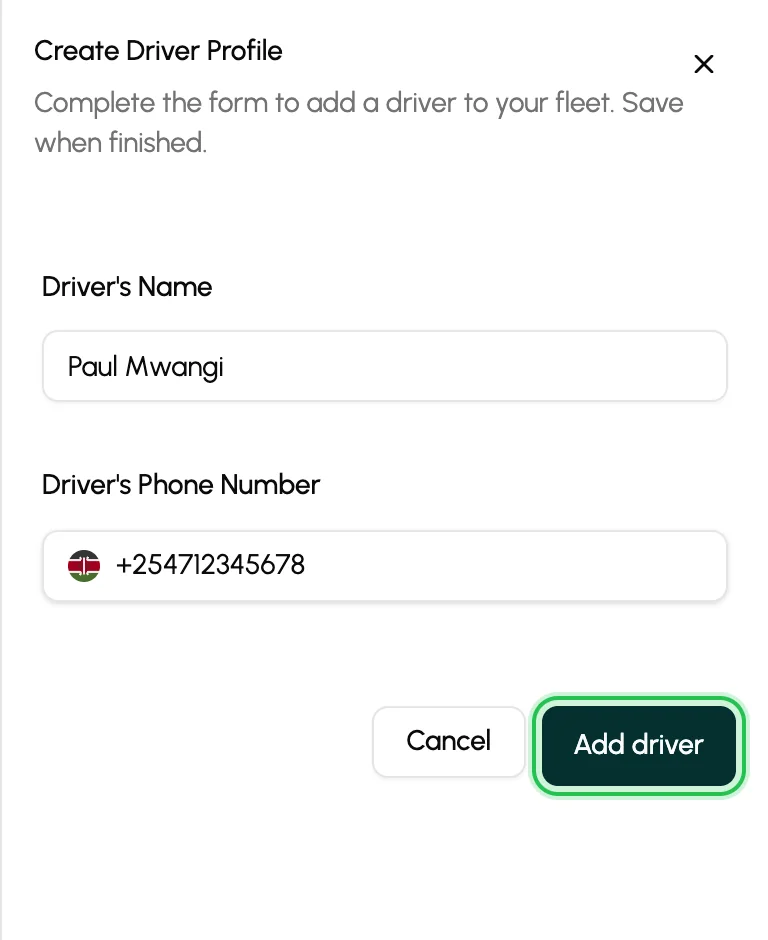
Fill in the details
- Driver's Name: letters and spaces only, at least two characters.
- Driver's Phone Number: pick the country from the code in front, or type a local number such as 0712 345 678.
- 3
Save
Click Add driver. They appear in the drivers table and in the trip form straight away.
Other ways to add drivers
- From a trip. In the trip form, type a name that isn't listed and pick Add as a new driver.
- With an import. Importing trips lists any drivers it doesn't recognise and adds them for you.
When a driver leaves, mark them inactive instead of deleting them, so their past trips keep their name.