 Travada Systems
When a driver leaves, deactivate them instead of deleting them. An inactive driver:
- no longer appears in the trip form;
- keeps every trip they drove, which still counts in your reports and driver insights.
Deactivate a driver
Open the driver's ⋯ menu in the drivers table and choose Deactivate driver, then confirm. Disable driver at the top of their page does the same.
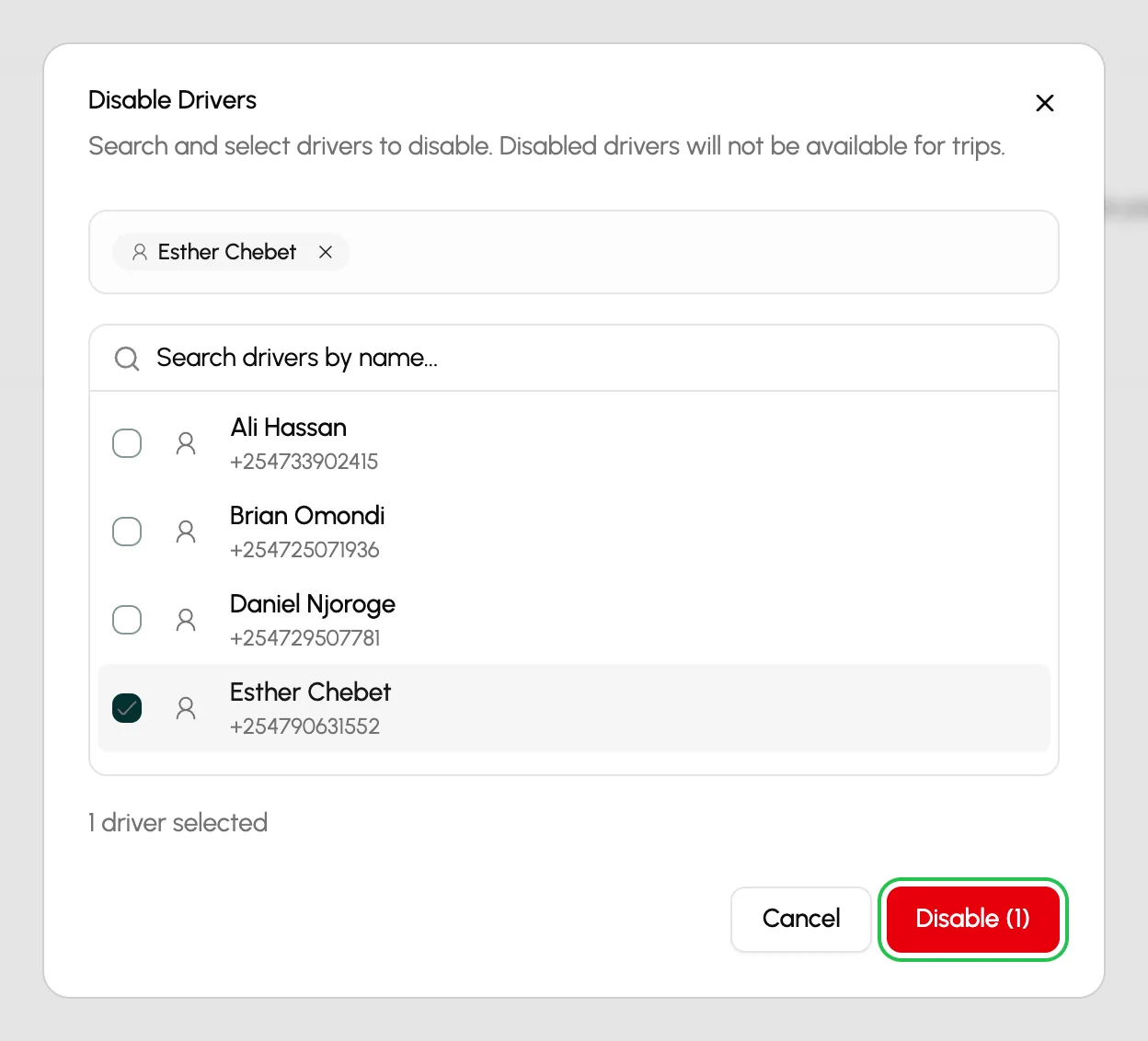
To deactivate several at once, open Drivers → Inactive Drivers, click Disable Driver, tick the drivers and click Disable.
Bring a driver back
Open Drivers → Inactive Drivers and click Enable on the driver, then confirm. They're back in the trip form straight away.
Delete a driver
An inactive driver also has Delete, which removes them from your list for good. Their past trips stay, with their name. Delete only drivers added by mistake.