 Travada Systems
In Travada, income always belongs to a trip. There's no separate "add income" form: when you record a trip, its rate and any detention fee are its income. That keeps every shilling tied to the truck, driver and route that earned it.
The Incomes pages
Incomes in the sidebar has three views of the same trips:
- All shows each trip's rate and detention side by side.
- Rate shows the rate charged on each trip. See Rate fees.
- Detention shows detention charged on each trip. See Detention fees.
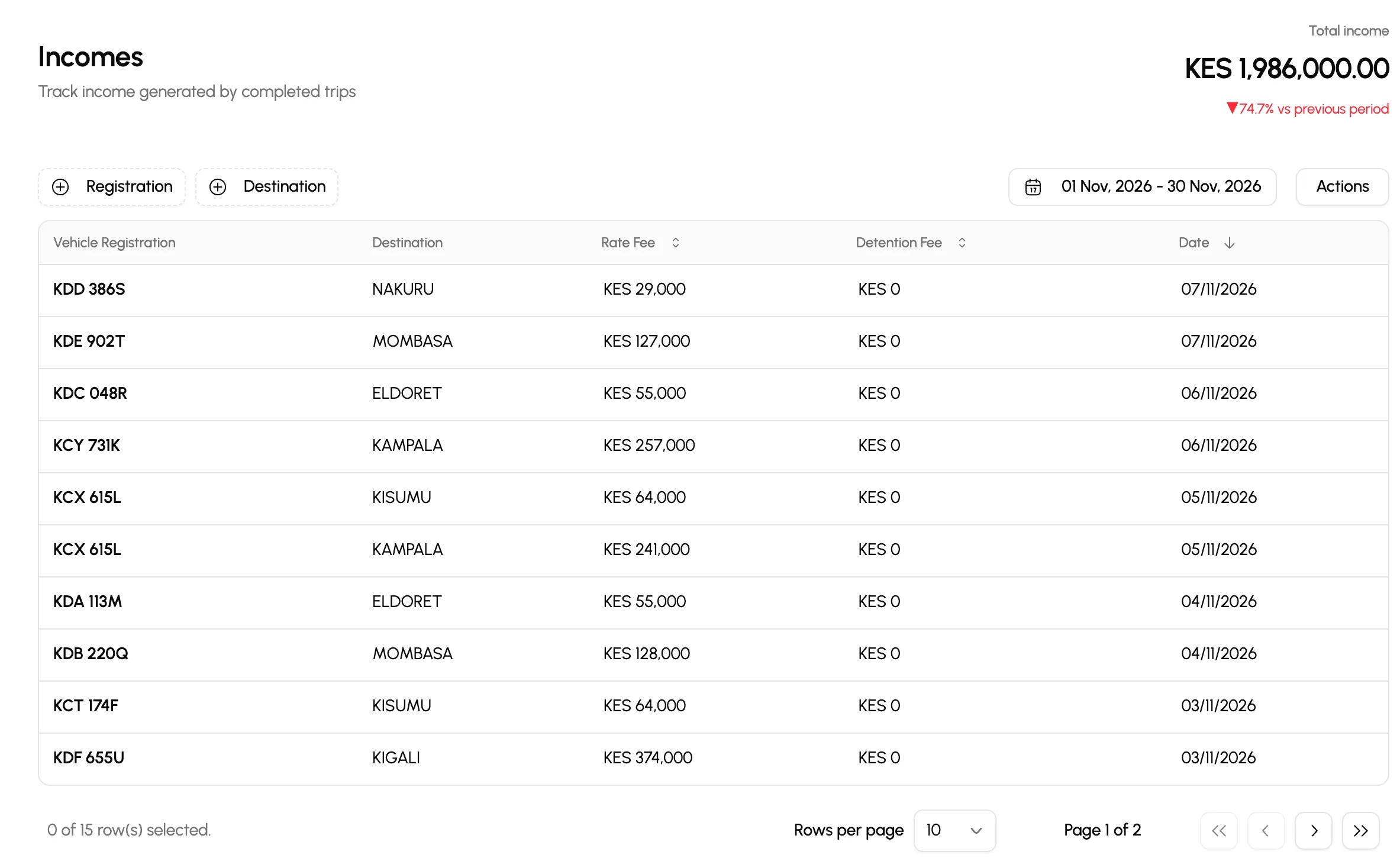
At the top right is the total for the dates you've picked, with the change against the period before.
Narrow it down
- Pick the dates with the date button.
- Click Registration or Destination to filter to one or more trucks or places.
- Actions → Export Data downloads what you see, and Copy Link shares this exact view with your team.
Change an amount
Because income lives on the trip, you change it on the trip: open the trip on the Expenditure page and edit it. The Incomes pages update straight away.