 Travada Systems
Every vehicle has a type. It doesn't change how trips are recorded, but it lets you compare like with like: a canter on town deliveries shouldn't be measured against a trailer on the Northern Corridor.
The types
| Type | Usually used for |
|---|---|
| Truck | General haulage on a rigid truck |
| Trailer Truck | Long-haul and container work with a trailer |
| Dump Truck | Construction materials: sand, ballast, quarry loads |
| Reefer Truck | Chilled or frozen goods |
| Box Truck | Enclosed goods, often distribution |
| Canter | Light loads and town deliveries |
| Passenger Transport Vehicle | Moving people rather than goods |
Pick the closest match. If none fits exactly, choose the one you'd want it compared with.
Where the type shows up
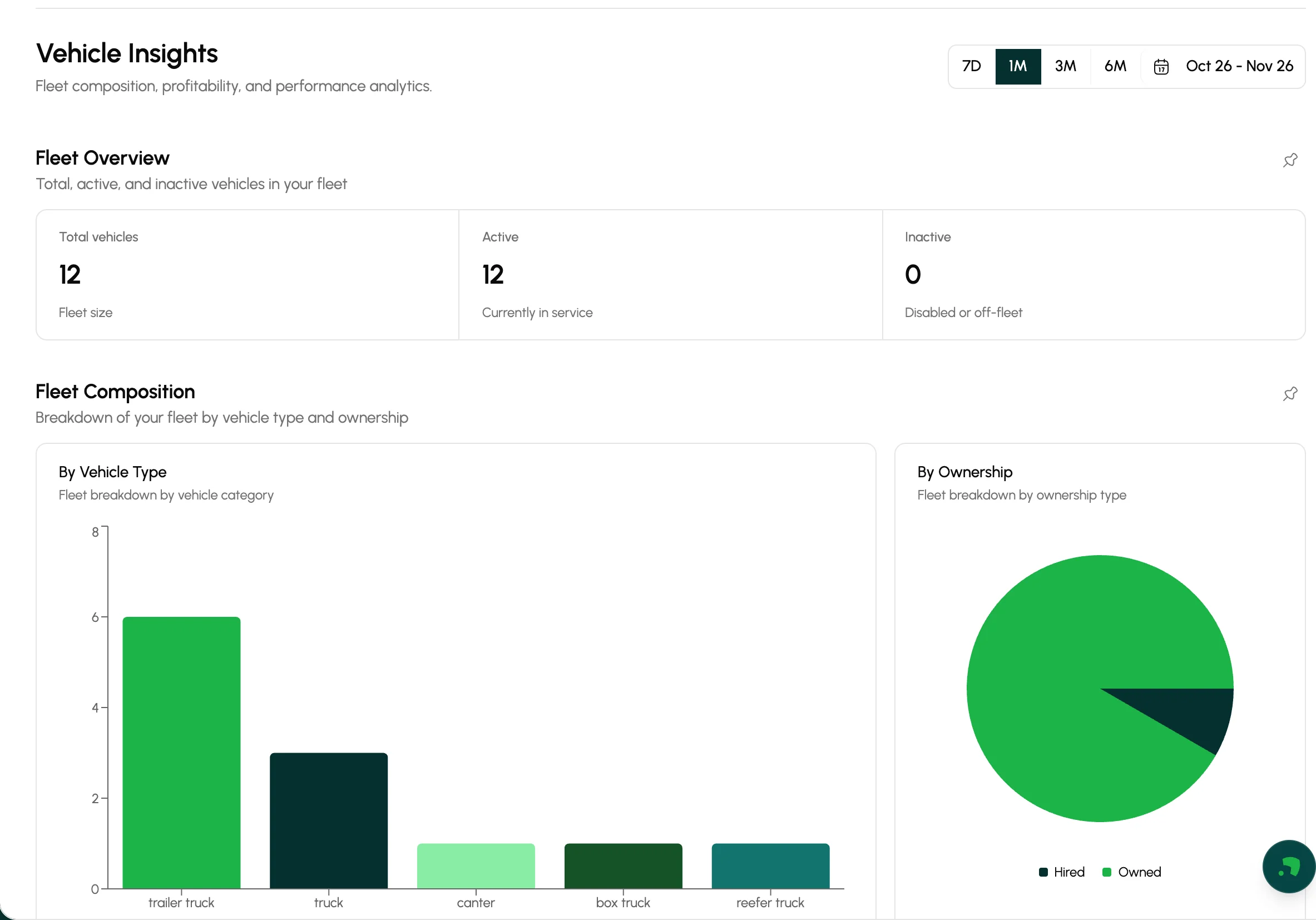
- Vehicle Insights breaks your fleet down by type, and compares types on trips per vehicle, revenue per trip and profit margin. See Compare how your trucks perform.
- Dashboard → Vehicle Performance can be filtered to one type.
- Vehicles can be filtered by type.
Change a vehicle's type
Open the vehicle's ⋯ menu, choose Edit vehicle details, pick the new type and save. Past trips aren't affected; the vehicle just moves to its new group in insights.