 Travada Systems
Fuel is usually a trip's biggest cost, so it's worth getting right. Each trip records what was paid for fuel, and the Fuel page adds it up across the fleet.
Record fuel on a trip
Enter it in Fuel on the Costs step of the trip form. Use the full amount paid at the pump, even if you get a discount from the station: the discount is recorded separately, so you can see both the cost and the saving.
If a trip had no fuel (a short run on a full tank, say), leave it empty. The trip's Review step will ask whether that was intended.
The Fuel page
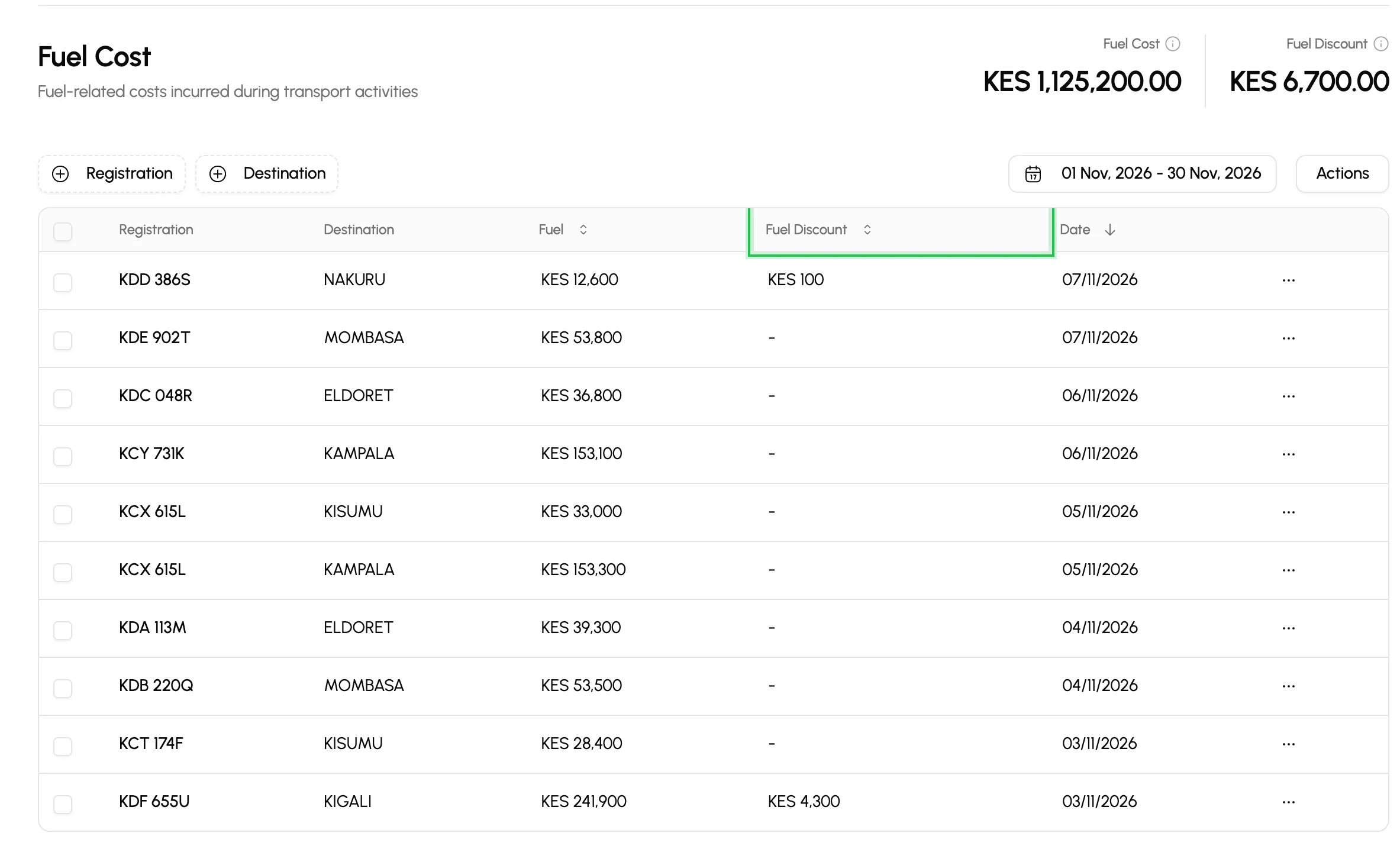
Open Expenses → Fuel. At the top you'll see:
- Fuel Cost: total fuel for the period you've picked.
- Fuel Discount: total fuel discounts for the current month.
The table lists each trip's fuel and any discount on it. Filter by Registration or Destination to compare: the same route costing very different amounts in fuel is worth a look.
Fuel Cost report
Actions → Reports → Fuel Cost builds a report of the period's fuel, grouped By Vehicle or By Destination. Use it to spot trucks or routes that burn more than they should. See Generate a report.