 Travada Systems
Travada lets you know when something needs you, such as trips waiting to be confirmed, or a report that's ready. Choose what you hear about under Settings → Notifications. Each person sets their own.
In-app notifications appear under the bell at the top right of every page.
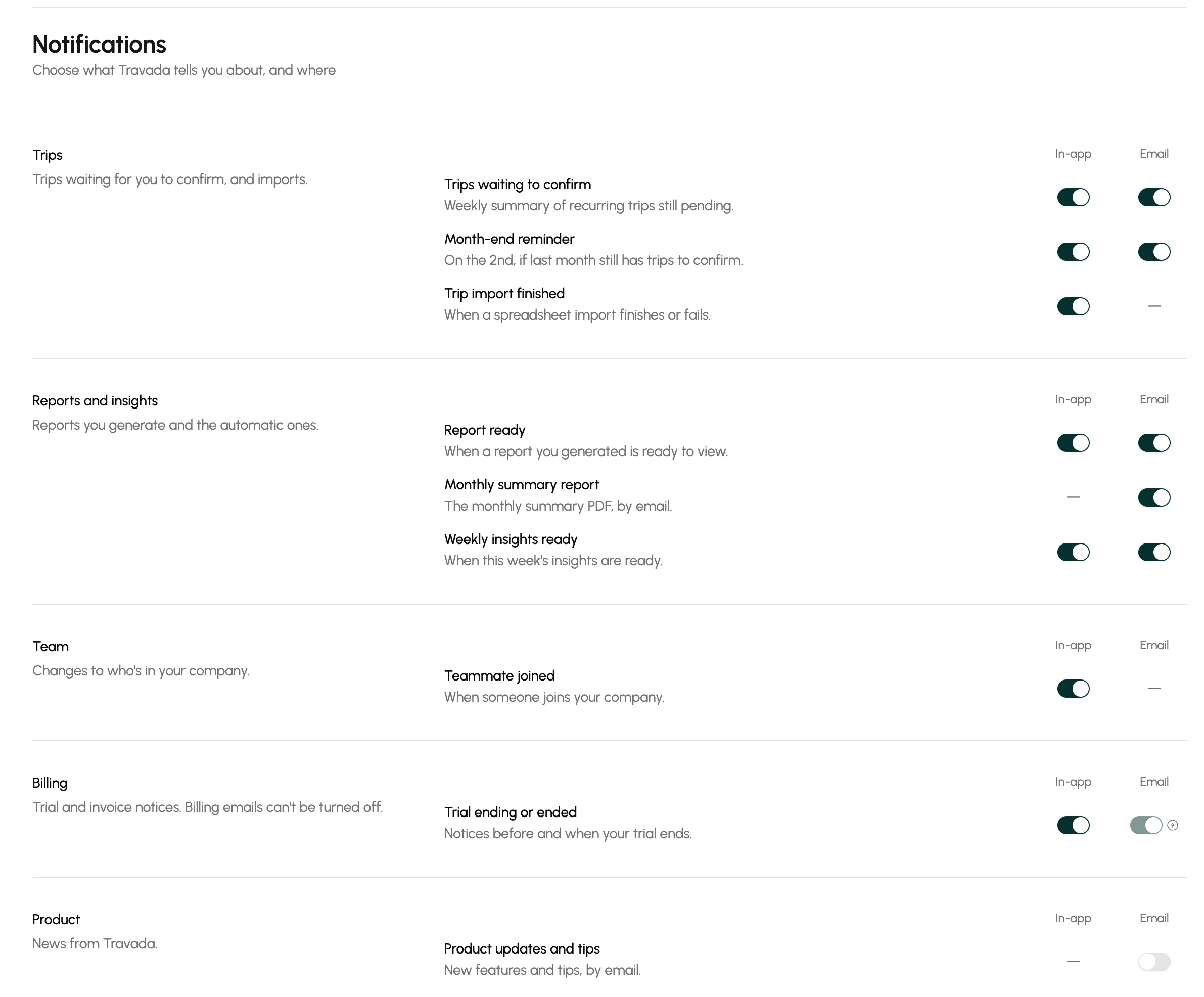
What you can turn on or off
Trips
- Trips waiting to confirm: a weekly summary of recurring trips still pending.
- Month-end reminder: on the 2nd, if last month still has trips to confirm.
- Trip import finished: when a spreadsheet import finishes or fails (in-app only).
Reports and insights
- Report ready: when a report you made is ready.
- Monthly summary report: the monthly summary PDF, by email, on the 1st.
- Weekly insights ready: when Monday's insights are ready.
Team
- Teammate joined: when someone joins your company (in-app only).
Billing
- Trial ending or ended: notices before and when your trial ends. Billing emails can't be turned off, so invoices and payment notices always reach you.
Product
- Product updates and tips: new features and tips, by email. Off unless you turn it on.
A dash means that notification isn't sent that way.